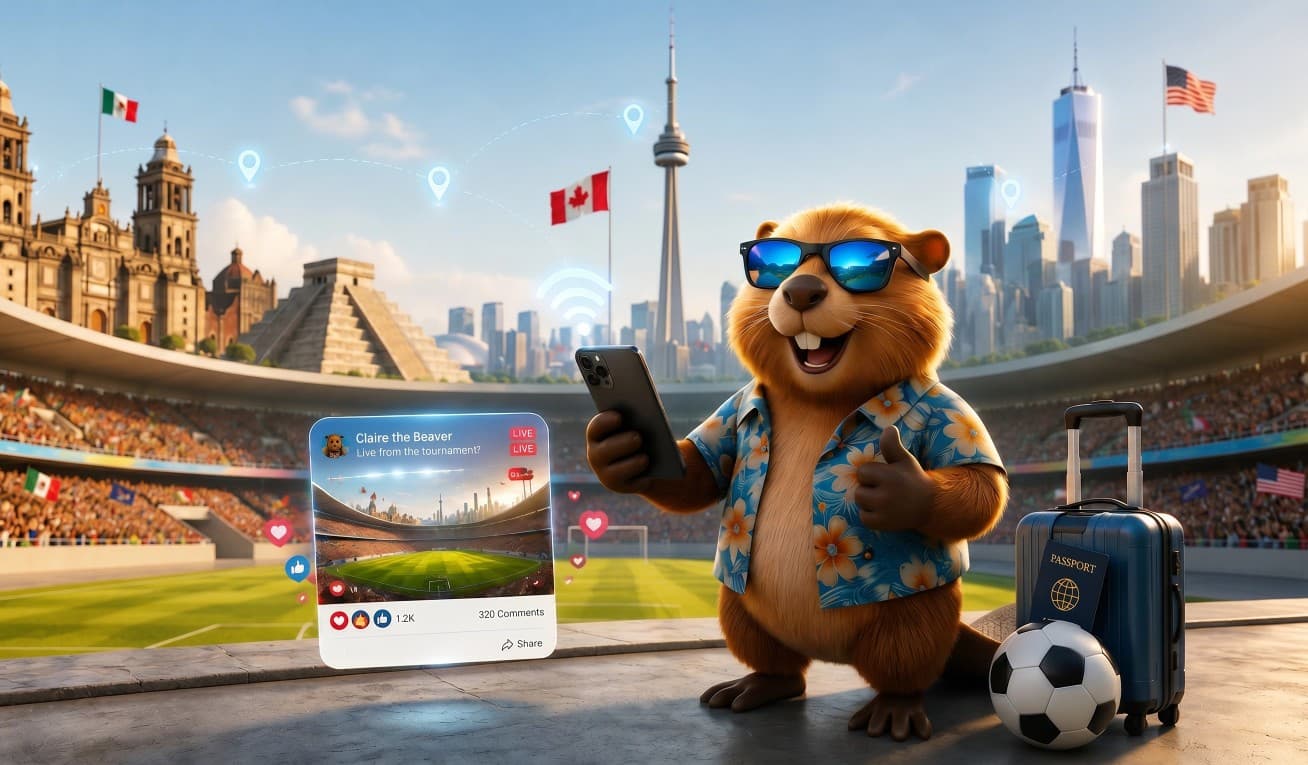
Football Fan Travel Guide 2026: How to Stay Connected Across USA, Canada and Mexico
This football travel guide for 2026 covers everything international supporters need to know about staying connected across the USA, Canada, and Mexico — the three host nations of the biggest tournament in history. The 2026 football tournament in North America is genuinely unlike any sporting event in history. For the very first time, the world’s most-watched tournament is being co-hosted across three countries simultaneously — the United States, Canada, and Mexico — across 16 cities, 104 matches, and 39 extraordinary days of football. Fans following their team could find themselves crossing from Toronto to Los Angeles to Mexico City within the space of two weeks. Without the right connectivity plan, each border crossing brings a new mobile network, a new SIM card headache, and roaming charges that can top $300 over a three-week trip.
This is not a product comparison guide. This is a practical travel connectivity guide for international football fans — covering exactly how to stay connected across every host city, how much data you actually need on match day, and why setting up one eSIM before you fly is the single smartest decision you can make before kick-off.
Why connectivity is every football travel guide’s most overlooked topic in 2026
Every previous football World Cup was held in one country. One currency. One mobile network environment. One SIM card. Simple. The 2026 tournament changes all of that. Three host nations. Three separate mobile network systems. Three sets of roaming charges if you are not prepared. And a geographic footprint so vast that the distance between the northernmost host city (Vancouver) and the southernmost (Guadalajara) is longer than the entire length of Western Europe.
Here is what makes 2026 connectivity genuinely different from any previous tournament trip:
- Most home carrier roaming plans charge between $10 and $15 per country per day. A fan crossing three countries over 21 days could face $300 or more in data fees alone — before accommodation, flights, or match tickets.
- Buying a physical SIM card at each airport arrivals hall means three separate queues, three separate passport registrations, and losing your home number every time you switch.
- Digital match tickets, ride-hailing apps, group messaging, live transport updates, and real-time stadium entry all require reliable mobile data every hour of every match day.
- Stadium Wi-Fi during peak match moments is notoriously congested — tens of thousands of fans trying to load the same apps simultaneously. Never rely on it for your digital ticket at the turnstile.
- Crossing an international border with no active data plan — in an unfamiliar city, in a language you may not speak — is a travel emergency waiting to happen.
No football travel guide for 2026 is complete without addressing this directly. The solution is straightforward: one eSIM covering all three host countries under a single fixed-price plan, installed at home before you fly, active the moment you land at your first host city airport.
Football travel guide 2026: one eSIM for all three countries
The most important tip in any football travel guide for 2026 is this: one eSIM covers all three countries under a single plan. A SiM Claire North America eSIM gives you mobile data across the United States, Canada, and Mexico under a single plan. There is no SIM swapping, no border re-registration, no settings to change when you cross from Toronto to New York or from Dallas to Monterrey. Your phone automatically connects to the strongest available local network in each country — and your data balance runs continuously throughout the trip.
Here is exactly what you get with a SiM Claire North America eSIM for your 2026 tournament trip:
- One plan covering USA, Canada, and Mexico — active across all 16 host cities from a single purchase
- Your home SIM stays active for calls and texts throughout — dual SIM means you never lose your regular number
- Install it at home before you fly — takes five minutes on your sofa with your regular Wi-Fi
- Activate it the moment your first flight lands — connected before you reach baggage claim
- Cross borders without touching your settings — your eSIM switches networks automatically
- Plans from $2.42 per day — a fraction of what home carrier roaming charges across three countries
- Manage everything from the SiM Claire app — check your data balance, top up, and contact support with one tap
This is the connectivity setup that makes three-country football travel feel like travelling in one country.
Football travel guide 2026: eSIM connectivity in every host city

United States host cities — 11 venues from coast to coast
The United States hosts the largest share of the 2026 tournament. Mobile coverage across all 11 US host cities is excellent — strong 4G and 5G throughout every city centre, stadium precinct, and public transport system. Here is what to expect in each city:
- New York and New Jersey (hosting the tournament Final): Excellent 5G throughout Manhattan, Brooklyn, and the transit corridors to the stadium in New Jersey. Download your ticket and the NJ Transit schedule before match day — the stadium area gets extremely busy in the hours before kick-off.
- Los Angeles: Full 5G across the entire city. The stadium is not accessible on foot from downtown — Uber and navigation apps are essential all day. Download offline LA maps the night before.
- Dallas (joint most matches — 9 games): Strong 4G and 5G citywide. The stadium sits in Arlington, outside Dallas city centre — transport apps and navigation are critical for every journey.
- Miami: Excellent 4G and 5G across Miami Beach, Brickell, and the stadium area. Match day traffic can be severe — pre-book transport the evening before using your hotel Wi-Fi.
- Atlanta (joint most matches — 9 games including a Semi-Final): Full 4G and 5G throughout the city. The stadium is walkable from downtown hotels — one of the most fan-friendly host city setups in the entire tournament.
- San Francisco Bay Area: Strong coverage across the city and South Bay. Getting to the stadium from San Francisco requires transit or rideshare — navigation apps running all day.
- Seattle (6 matches including USA vs Australia on June 19): Excellent 5G downtown. The stadium in the SoDo district is walkable from downtown or one stop on the Link light rail — some of the best urban connectivity of any US host city.
- Boston (7 matches including a Quarterfinal): Good 4G and 5G across Boston. The stadium is 45 minutes south by commuter rail — data needed for real-time train schedules on a packed match day.
- Kansas City: Strong 4G and 5G citywide. The stadium is only reachable by car or rideshare — navigation apps essential from the moment you leave your hotel.
- Philadelphia: Excellent 5G across the city and stadium precinct. Transit connects central Philadelphia to the stadium — download the transit app before match day.
- Houston: Full 4G and 5G citywide. Houston is vast and car-dependent — navigation apps will be running from morning to night on every match day.
Canada host cities — Toronto and Vancouver

Canada hosts two cities for the 2026 tournament — both among the most connected cities in North America. Your SiM Claire eSIM switches to Canadian networks automatically when you cross the border, with no action required on your part.
- Toronto: Full 5G across downtown, the waterfront, and the stadium area. The TTC streetcar runs directly from downtown to the stadium — download the real-time TTC app before match day as services get very busy on football days. Toronto is one of the most culturally diverse and fan-friendly host cities in the entire tournament.
- Vancouver: Excellent 5G throughout downtown, Gastown, and Yaletown. The stadium is right in the city centre — walkable from most accommodation. The SkyTrain rapid transit connects the airport to downtown in 26 minutes and runs frequently on match days. Vancouver is widely considered the most scenic host city of the entire tournament.
Important note for fans flying from a US city to Canada: Canadian customs and immigration apply even at transit airports. Have your accommodation confirmation and onward travel plans saved offline as a screenshot — data is not always accessible through the customs process.
Mexico host cities — Mexico City, Guadalajara, and Monterrey

Mexico hosts 13 matches across three cities — the most concentrated tournament experience of the three host nations, running from the opening match on June 11 through to a Round of 16 on July 5. Your SiM Claire eSIM switches to Mexican networks automatically on crossing the border from the USA.
- Mexico City (5 matches — opens the entire tournament on June 11): Full 4G and growing 5G across the capital. Estadio Azteca — the only stadium to host major international football tournaments — opens the 2026 competition and hosts a Round of 16. Accessible by metro from the city centre — download the Mexico City metro map offline before match day.
- Guadalajara (4 matches including Mexico vs South Korea): Strong 4G throughout the city and stadium area. Mexico’s second largest city is modern, compact, and well connected — one of the most underrated and affordable host cities in the entire tournament for fans wanting a more authentic local experience.
- Monterrey (4 matches including a Round of 32): Good 4G citywide and at the stadium precinct. Monterrey is the northernmost Mexican host city — the most practical crossing point for fans travelling between Mexico and Texas. Download offline maps before any road trips between cities.
Data tip for all Mexican host cities: Download Google Maps offline for each city the evening before you arrive. Urban coverage is excellent but can be slower on long-distance coach or bus routes between cities.
Football travel guide 2026: how much data do you actually need?
Match day data use is significantly higher than a normal travel day. You are navigating an unfamiliar city, coordinating with a group, monitoring transport in real time, and posting to social media — all simultaneously. Here is a realistic breakdown:
| What you are doing | Data used | Match day tip |
|---|---|---|
| Loading your digital match ticket | Under 1 MB | Download to phone wallet the night before |
| Google Maps navigation all day | 5 to 15 MB per hour | Download offline city maps too |
| Booking Uber or Lyft rides | 2 to 5 MB per booking | Pre-book the night before where possible |
| WhatsApp group coordination | 5 to 20 MB per hour | Voice notes and video use more data |
| Instagram and social media | 50 to 200 MB per hour | Your biggest data drain by far |
| Live score and match updates | 10 to 30 MB per hour | App quality varies widely |
| Streaming highlights | 500 MB to 2 GB per hour | Use hotel Wi-Fi where possible |
| Total per full match day estimate | 500 MB to 3 GB | Depends heavily on social media use |
Recommended SiM Claire plan by trip type:
- One country, 5 to 7 days, 1 or 2 matches: A 5 GB plan covers navigation, digital tickets, messaging, and moderate social media comfortably.
- Two countries, 10 to 14 days, group stage run: A 10 GB plan is the sweet spot — enough for daily navigation, consistent social media, and group coordination.
- Three countries, full tournament, 3 to 4 weeks: An unlimited data plan is strongly recommended. Hotspot sharing with travel companions and streaming highlights will consume data fast.
- Group travel with hotspot sharing: Add at least 5 GB per person sharing your connection on top of your own estimate.
Three data-saving habits that make a real difference on match day:
- Download your digital ticket to your phone wallet app the evening before — never rely on loading it at the turnstile with 80,000 other fans trying to do the same thing.
- Download offline Google Maps for every host city the night before your visit — navigation then uses almost no data at all.
- Use hotel or Airbnb Wi-Fi for streaming highlights and video calls — save your mobile data for when you are moving between venues or coordinating on the go.
The five match day connectivity mistakes that ruin trips
Mistake 1 — Football travel guide 2026: never trust stadium Wi-Fi for your digital ticket
This is the most common match day disaster. Stadium Wi-Fi is designed for light browsing — not for 80,000 people simultaneously loading digital tickets, posting stories, and streaming at the same moment. It routinely fails at the worst possible time: the turnstile queue 15 minutes before kick-off. Download your ticket to Apple Wallet or Google Wallet the evening before the match. Keep your SiM Claire mobile data active as a backup. Treat stadium Wi-Fi as a bonus, never as a plan.
Mistake 2 — Assuming home carrier roaming covers all three countries equally
Most home carrier international roaming plans are built for one primary destination. A plan that works well in the USA may charge a separate daily rate for Canada and another for Mexico. Fans who cross from a US match to a Canadian match without reading the fine print often face surprise charges. Before your trip, call your carrier and ask specifically: what is the daily roaming rate for USA, Canada, and Mexico separately? Then compare that total against a SiM Claire North America eSIM. For most three-country trips, the eSIM is significantly cheaper.
Mistake 3 — Buying a physical SIM card at the airport on arrival
Airport SIM card kiosks charge two to three times more than the same plan bought online before travel. At tournament host city airports during peak arrival windows, queues at these kiosks can run 30 to 45 minutes — exactly when you most want to be moving towards your hotel. A SiM Claire eSIM bought before you fly costs less, activates instantly on landing, and skips every queue entirely. The comparison is not close.
Planning mistakes that cost fans the most
Mistake 4 — Forgetting to download offline maps before arriving in each city
Most travelling fans will visit at least two cities they have never been to before. Urban coverage is excellent across all 16 host cities, but stadium zones during peak match times can experience temporary congestion on all networks. Downloading offline Google Maps for every city you plan to visit takes five minutes per city and means your navigation works even when network speeds slow down during busy match arrivals.
Mistake 5 — Waiting until you land to set up your eSIM
Every football travel guide for 2026 lists this as the single most avoidable mistake. Setting up a new eSIM requires a stable internet connection. The plan most likely to fail is setting it up using airport Wi-Fi after a long flight — congested connection, confusing login portal, phone running low on battery. Set up your SiM Claire eSIM at home on your regular broadband before you travel. The whole process takes five minutes. You land with data already active and running from the moment the plane touches down.
Football travel guide 2026: is your phone ready for a North America eSIM?
Most smartphones made from 2020 onwards support eSIM. Here is a quick check by device:
- iPhone — XS, XR, and all newer models are eSIM compatible. iPhone 14 and later US models are eSIM-only with no physical SIM tray.
- Samsung — Galaxy S20, S21, S22, S23, S24, and all Z Fold and Z Flip models are eSIM compatible.
- Google Pixel — Pixel 3 and all newer Pixel models are eSIM compatible.
- Huawei, Motorola, and OnePlus — many newer models support eSIM. Check Settings then Network and Internet then SIM cards for an Add eSIM option.
One important check: if your phone is carrier-locked to your home network, you may not be able to activate a third-party eSIM. Contact your carrier before your trip and ask them to unlock your device — most do this for free and it takes 24 to 48 hours.
Not sure if your specific model is compatible? Use the SiM Claire free device checker — a clear answer in 30 seconds with no signup required: Check your device compatibility at simclaire.com
Football travel guide 2026: how to set up your SiM Claire eSIM?
The entire setup takes five minutes and happens at home before you travel. Here is exactly what to do:
- Check your phone is eSIM compatible using the free SiM Claire device checker at simclaire.com.
- Go to simclaire.com/esim and select your North America plan — choose based on how many countries you are visiting and how long your trip is.
- Complete your purchase — SiM Claire accepts Visa, Mastercard, Apple Pay, and Google Pay. Your QR code arrives by email within minutes.
- Install the eSIM at home on your regular Wi-Fi — on iPhone go to Settings then Mobile Data then Add eSIM then Use QR Code. On Android go to Settings then Network and Internet then SIM cards then Add eSIM.
- Do not activate it yet — installing and activating are two separate steps. Install it at home but leave it switched off until you land. Your data plan starts the moment you activate.
- Activate on landing — once the plane touches down at your first host city airport, go to Settings and switch your SiM Claire eSIM on. You will be connected before you reach baggage claim. No queue. No kiosk. No stress.
From that moment your SiM Claire eSIM runs continuously across the USA, Canada, and Mexico for the duration of your plan. Border crossings happen automatically — no settings change required.
Download the SiM Claire app
Manage your eSIM, track your live data balance, top up your plan, and reach the support team with one tap — free on iOS and Android:
Download SiM Claire on the App Store for iPhone
Get SiM Claire on Google Play for Android
The app shows your live data balance, lets you switch or upgrade plans, and connects you to WhatsApp support with one tap — useful on match day if you ever hit a connectivity issue in an unfamiliar city.
Football travel guide 2026 — your questions answered
Does one eSIM really cover all three host countries? Yes. A SiM Claire North America eSIM covers the United States, Canada, and Mexico under a single plan. You do not need to switch SIMs, buy new plans at each border, or change any settings. The same eSIM that connects you in Vancouver connects you in Dallas and Mexico City — automatically and continuously throughout your trip.
Will my eSIM work inside the stadiums during matches? Yes — your eSIM connects to the same mobile networks available to everyone at the venue. During large events with very big crowds, all carriers experience some congestion simultaneously — this affects everyone equally. The practical solution is to download everything critical the evening before: your ticket to your phone wallet, offline maps, and your transport booking confirmation. Use mobile data during the match for live messaging and real-time coordination.
Can I share my eSIM data as a hotspot with travel companions? Yes — SiM Claire plans support hotspot and tethering. One person can share their connection with other devices in the group. For groups sharing data across multiple devices on heavy match days, an unlimited plan is recommended to avoid running short at the wrong moment.
How does a North America eSIM compare to home carrier roaming? Most home carriers charge between $10 and $15 per country per day for international data roaming. A fan crossing three countries over three weeks on standard carrier roaming could pay $300 or more in data fees alone. A SiM Claire North America eSIM covers all three countries at a fixed low price with no surprise charges and no per-country switching costs.
Can I keep receiving calls on my home number while using a SiM Claire eSIM? Yes — if your phone supports dual SIM (most modern smartphones do), your physical home SIM stays fully active for calls and texts while your SimClaire eSIM handles all your mobile data. You receive calls and WhatsApp messages on your regular number throughout the entire trip.
Ready to follow your team — connected, from the first whistle to the final?
This football travel guide for 2026 has covered everything you need — now it is time to get connected. Following your team across three countries and 16 cities over 39 days is one of the greatest travel experiences a football fan can have. The distances are vast, the cities are extraordinary, and the moments — your team scoring, the crowd erupting, the final whistle in New York — are the kind you will talk about for the rest of your life. None of that should be complicated by a dead phone, a roaming charge, or a SIM card queue at midnight in an unfamiliar airport.
Every football travel guide for 2026 will tell you to plan your flights and book your tickets early. This one tells you to sort your eSIM first. A SiM Claire North America eSIM sets up in five minutes at home, activates the second you land, and covers every host city from Vancouver to Guadalajara under one fixed plan. So when your team makes the Final and you need to book transport at midnight — you are already connected, wherever you are.
Get your SiM Claire North America eSIM — 30 GB/30 days/All 3 tournament countries – just one eSIM
Check your device compatibility — takes 30 seconds
Set it up before you fly. Land connected. Follow your team everywhere. Bookmark this football travel guide for 2026 and share it with anyone following their team to North America. Explore rest of the plans by visting simclaire.com.
Questions about your North America eSIM before your trip? Our support team is on WhatsApp — message us anytime and we will help you choose the right plan.
Also worth reading before your trip: Do You Need an eSIM for Portugal? — for fans combining the 2026 tournament with a trip to Europe.
Updated: May 2026